RepGarden’s big idea is now nine user journeys, each with the paths where things go right, go wrong and go another way. The first of them is drawn as nine greyscale wireframes, which Claude put straight into Figma. Here is how that works, and why the first sketches have no colour.
RepGarden is the workout app I’m building for Benji, a personal trainer, and his clients. Its game is already decided: every week little old Mrs Patata catches the flu, and it’s up to Benji’s clients to save her by working out and growing their vegetable patches. The game mechanics entry has the whole loop.
That is still one big, vague idea, and nobody can build from it. The next step was to chop it into bite-sized pieces called user journeys: the steps someone takes to get one thing done in the app. A trainer inviting a client is one journey. A client doing a workout is another. RepGarden has nine.
RepGarden’s nine journeys. Each one is a single goal, from the moment it starts to the moment it is done, and the workout is the one the first wireframes follow.
Three kinds of path
Take the workout. The client starts it, logs their sets, says how they feel and finishes, and their vegetables grow. Written like that, it only describes the version where everything goes well. So for each important journey you write three kinds of path:
The happy path, where everything goes right: every set logged, every vegetable grows.
The unhappy paths, where something goes wrong, like the gym losing signal halfway through the workout.
The alternate paths, where nothing has gone wrong and the user has simply taken a different route, like doing Thursday’s workout on a Tuesday.
Two of the workout journey’s detours. Its plan lists more: the app closed mid-session, a set logged by mistake, an exercise skipped because the rack is busy.
The unhappy paths are where the planning pays for itself. A client in a basement gym with one bar of signal shouldn’t lose a set, so the journey says the sets wait on the phone and send when the signal comes back. Deciding that now takes one sentence. Finding out after launch means a client loses a whole workout’s worth of sets.
An unhappy path, filmed: the taekwondo coach’s kick lands, and the carrot’s head goes back.
Claude, drawing in Figma
So the journeys are all written down. Now lettuce see what they look like.
To draw them, I connected Claude to Figma, the design tool, through Figma’s MCP server. MCP is a standard way for an AI tool to use other software, and Figma’s server lets Claude put designs into a Figma file.
Claudia, who stands for Claude in the videos, dressed for the design stage.
Claude draws each frame as SVG, a picture described in code, from a small kit of parts: buttons, steppers, a phone outline. The files live in the RepGarden repository, the project’s folder of code and documents, which keeps the master copy, and the MCP server sends them into the Figma file, where each one arrives as layers I can move and edit by hand.
The repository keeps the master copy of every frame. Figma gets a copy it can edit: text arrives as text and shapes as shapes, so the frames can be moved and changed by hand.
The drawings are low-fidelity wireframes, which is just a fancy way of saying rough sketches of each screen.
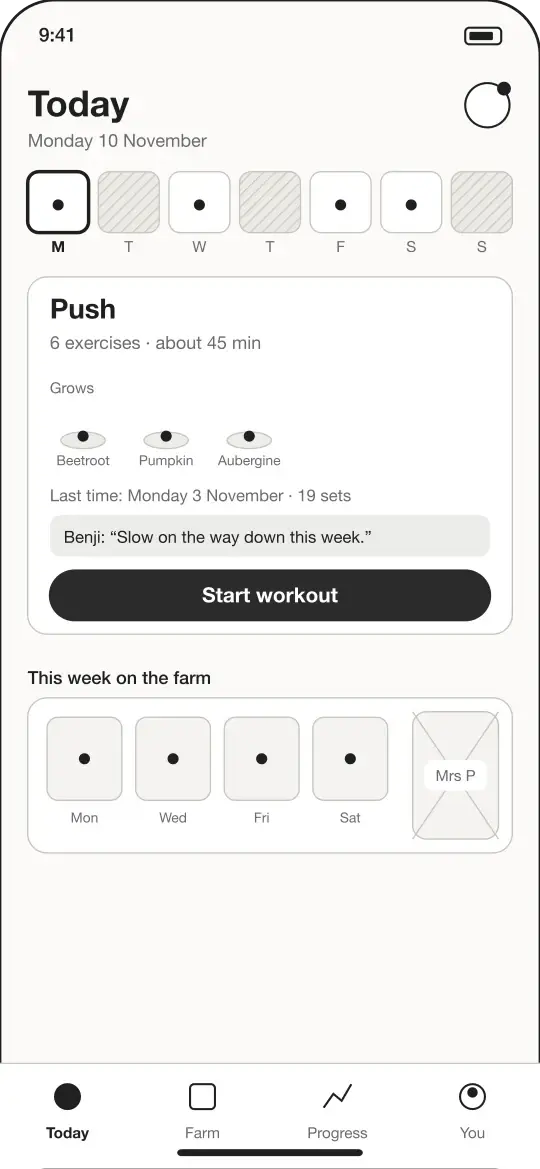
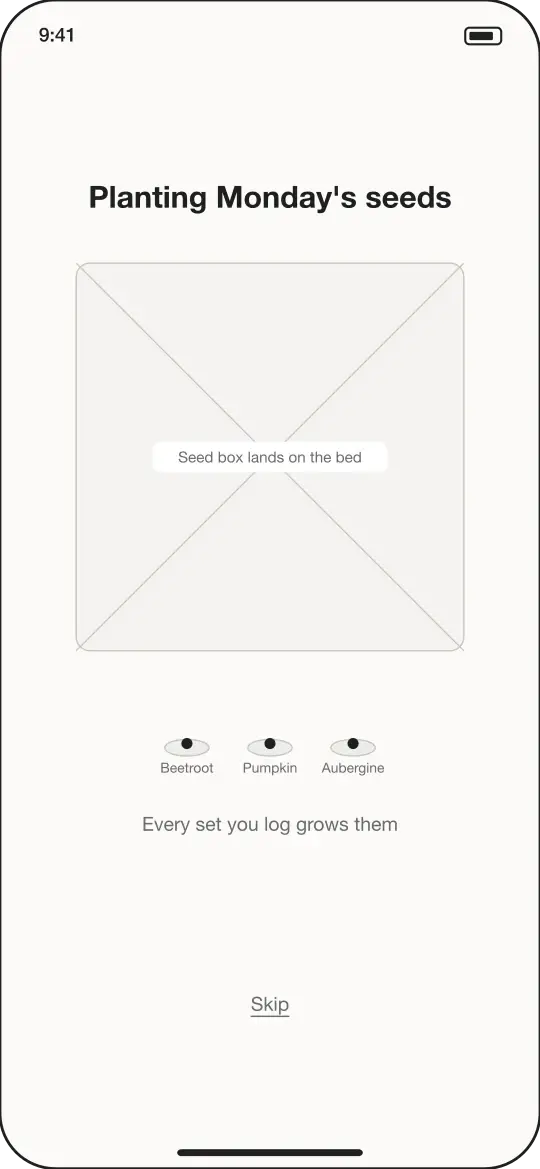
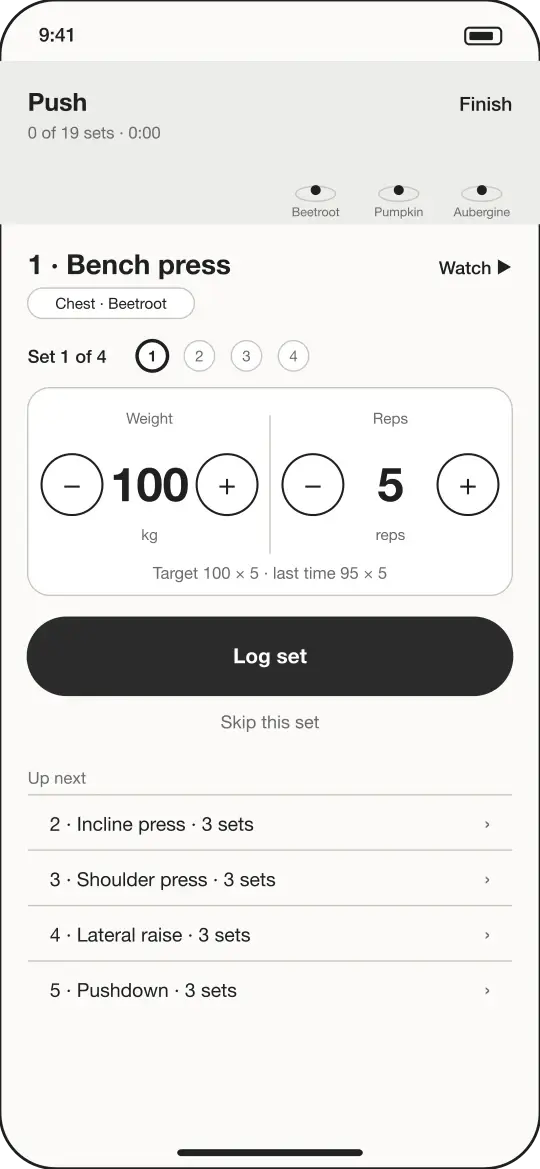
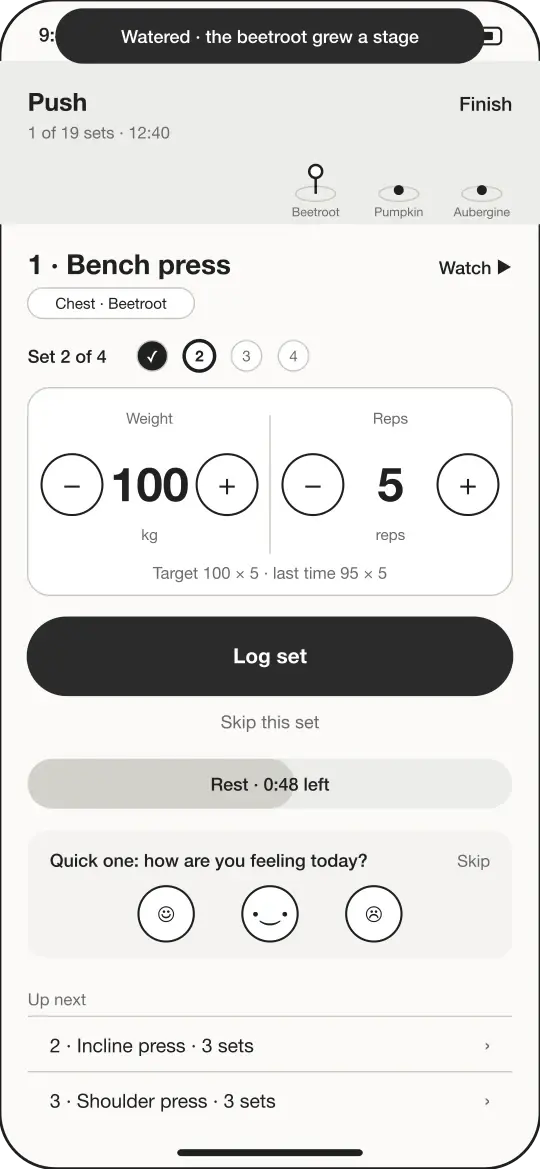
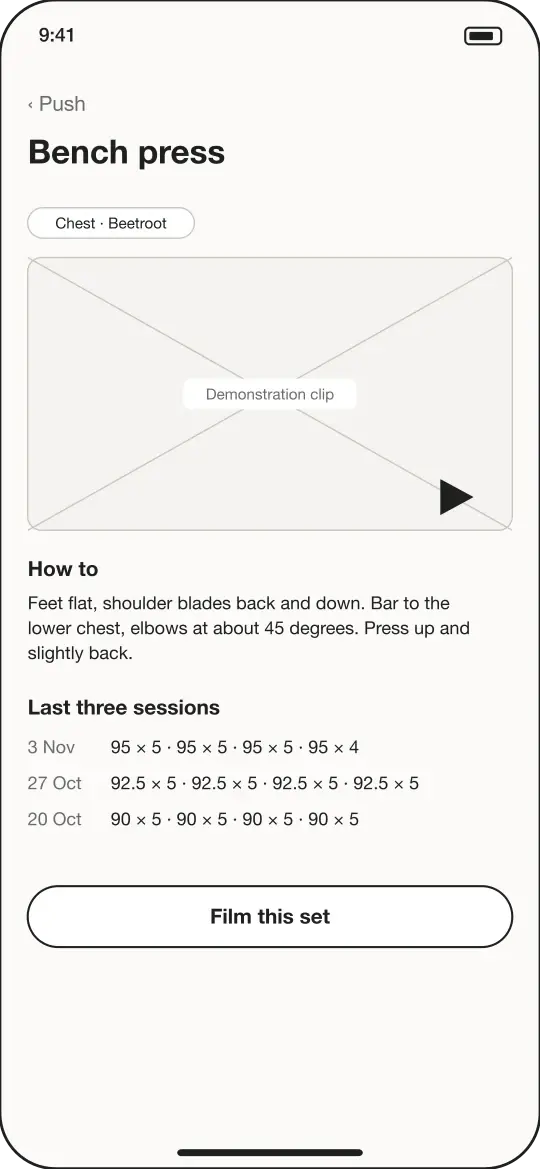
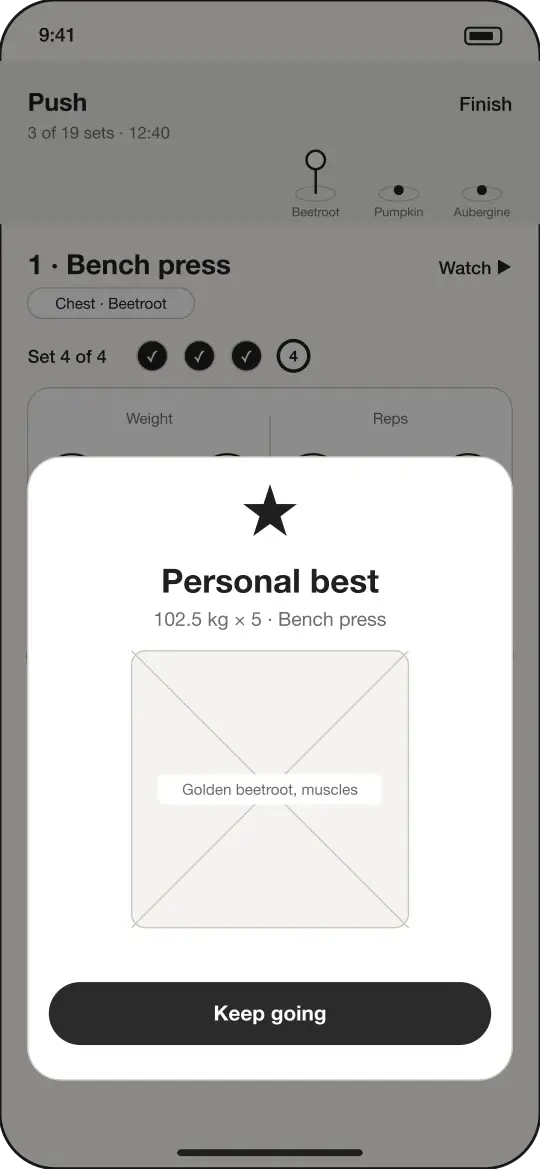
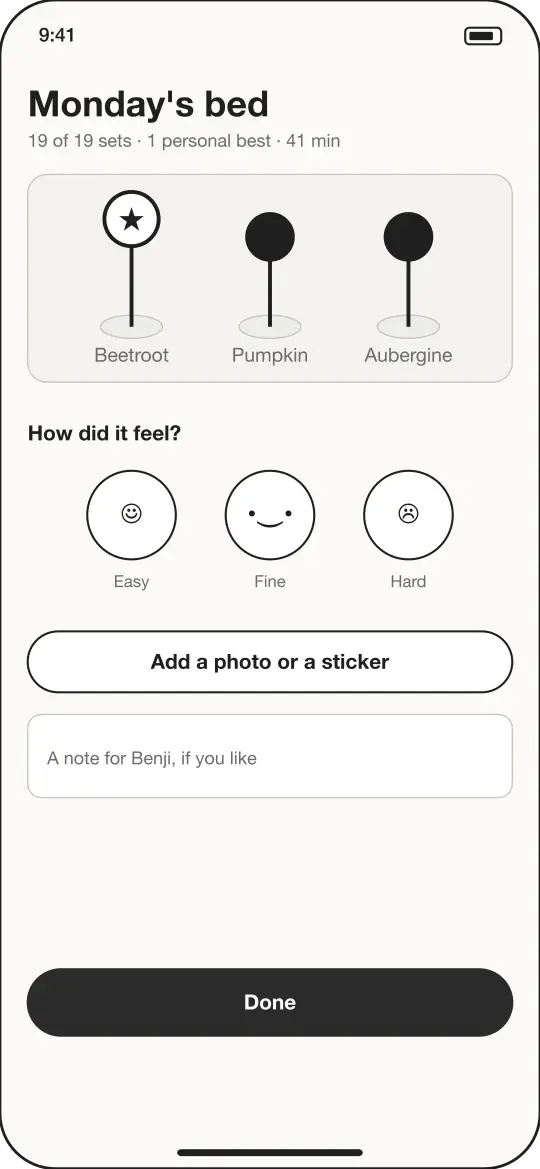
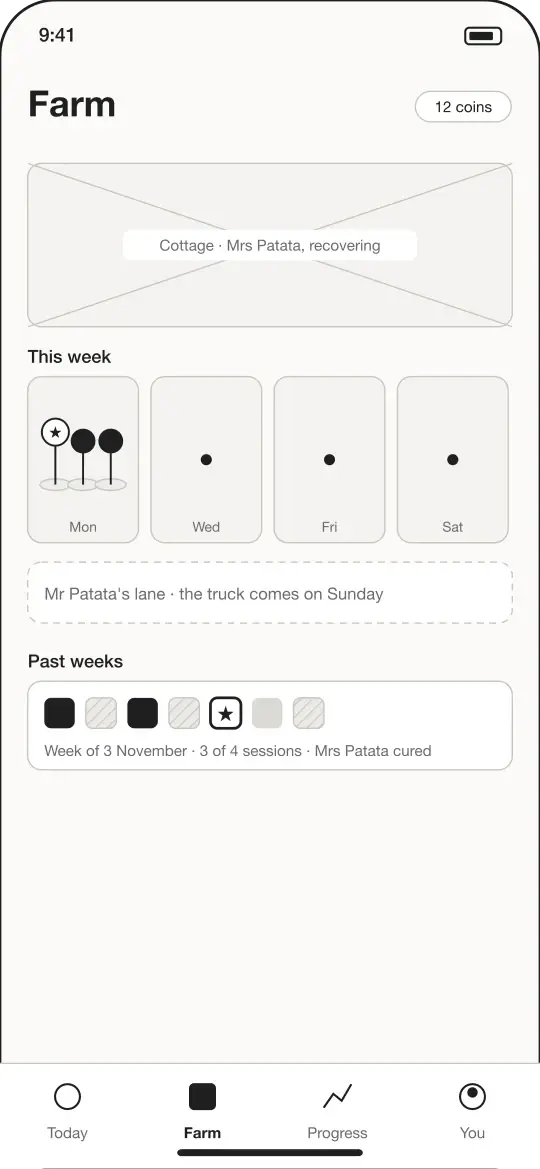
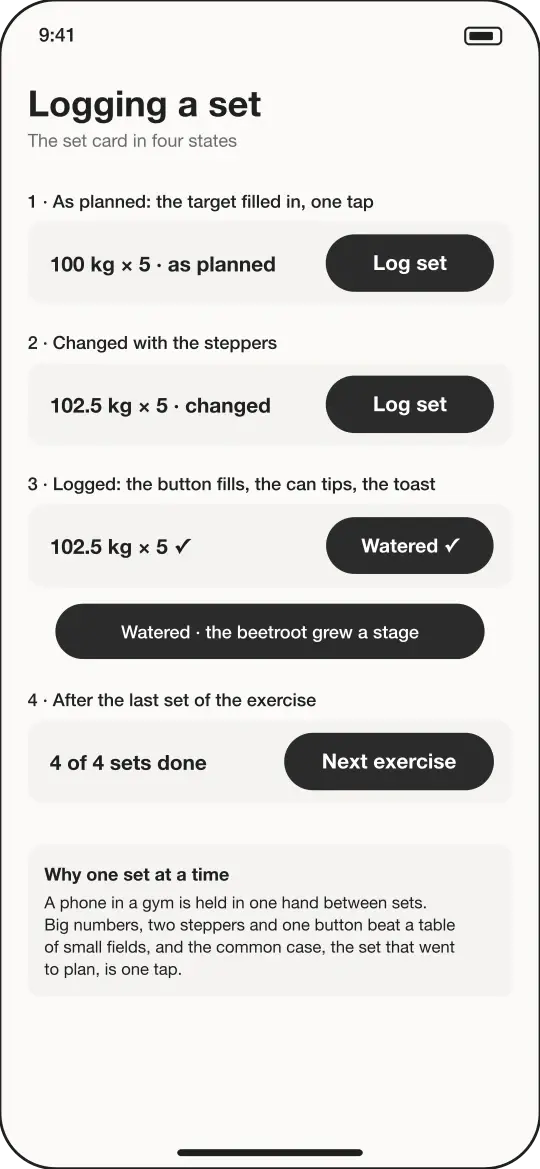
The first flow, the set of screens for one journey, follows the workout: a training day, from opening the app to the farm afterwards, in nine frames. A box with a cross through it is a slot for art that isn’t drawn yet, labelled with what goes there.
1 Today
2 Planting
3 Logging a set
4 Watered
5 The exercise
6 Personal best
7 The lookback
8 The farm
9 The set card
A set that went to plan is one tap: the weight and reps arrive filled in from the trainer’s target, and the steppers are there for the sets that didn’t.
Greyscale first
One good tip here is to do your first wireframes in greyscale. Colours can be distracting, and you actually get a better visual hierarchy, the order in which the eye takes in a screen, if you start by thinking only about layout, font weights and shades of grey.
No colour, and the order is still clear: the eye goes to the exercise, then the numbers, then the one button. Weight, size and darkness do all the work.
Where things stand
Done: the nine journeys, written on 8 November, and the first flow’s nine wireframes, drawn on 10 November and in Figma. Still to do: the other flows, the journeys and wireframes for the trainer’s web app, and a review with Benji. None of the app is built yet.
It’s all a work in progress, but I’m having a blast. You never really know it all with software development, so being a student of the game and enjoying each project is what it’s all about for me.
RepGarden now has its own website with a waiting list, at repgarden.app, and pages on Instagram and TikTok as @repgarden.app. If you know a personal trainer, please send them there: the first 20 trainers to join the waiting list get lifetime access for free.